
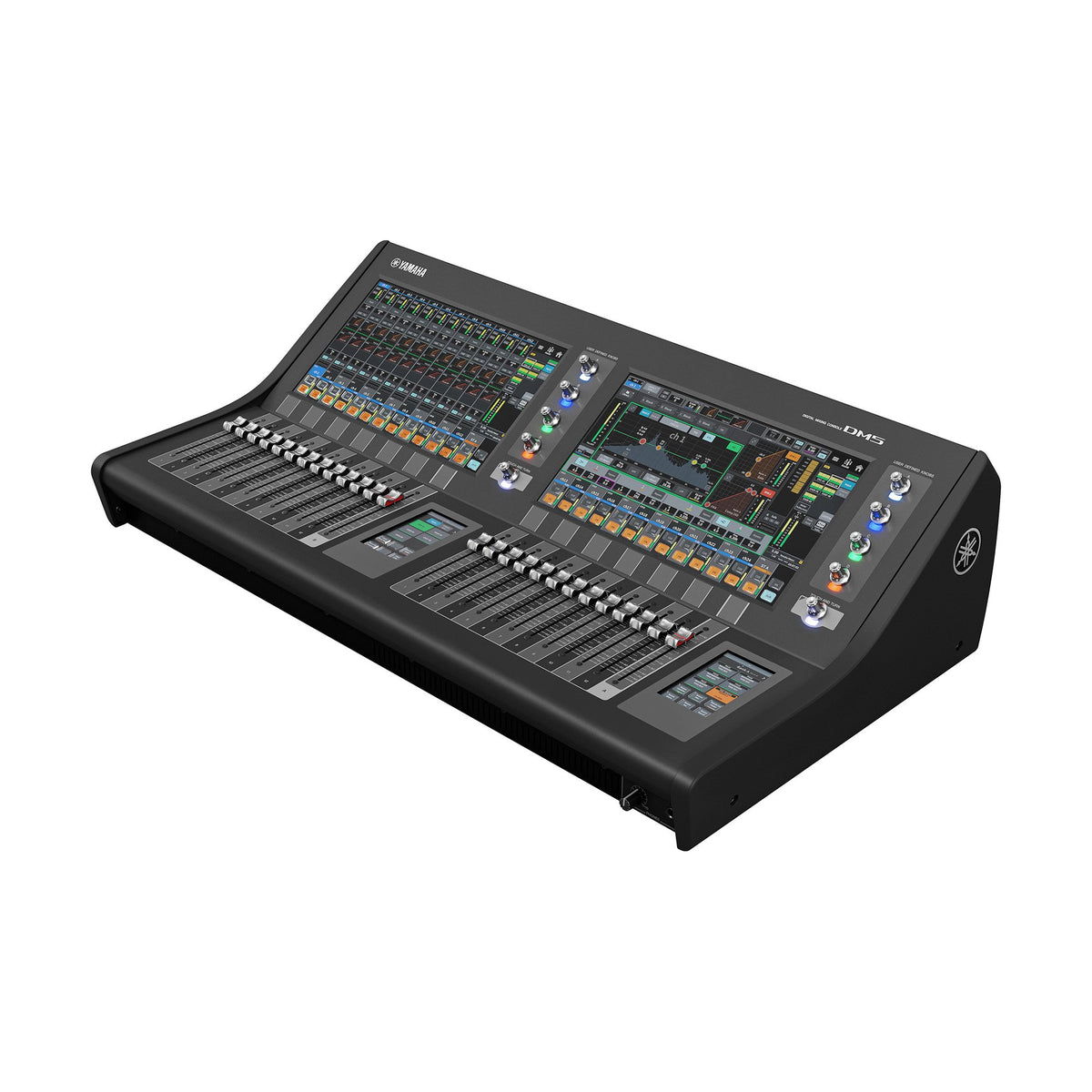
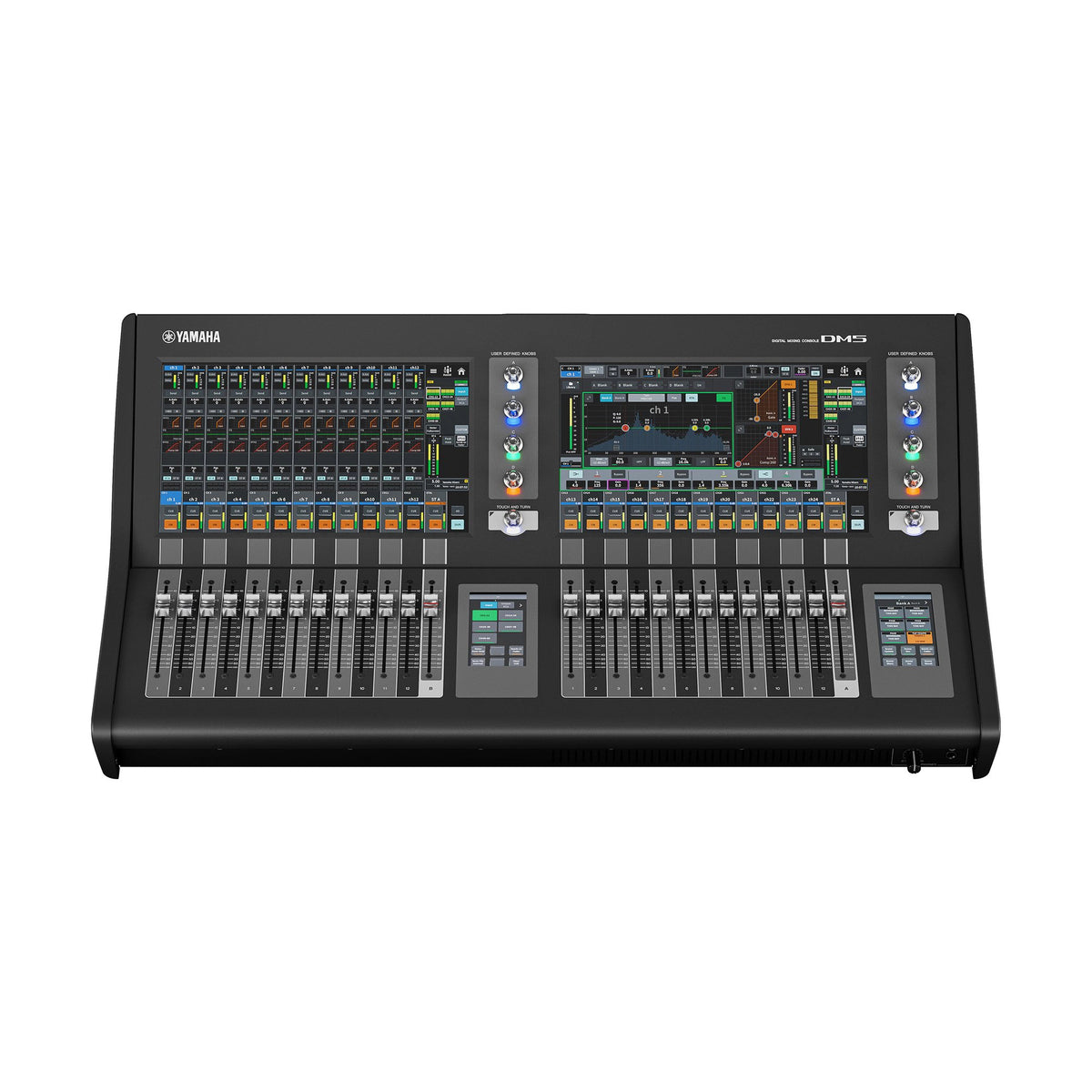
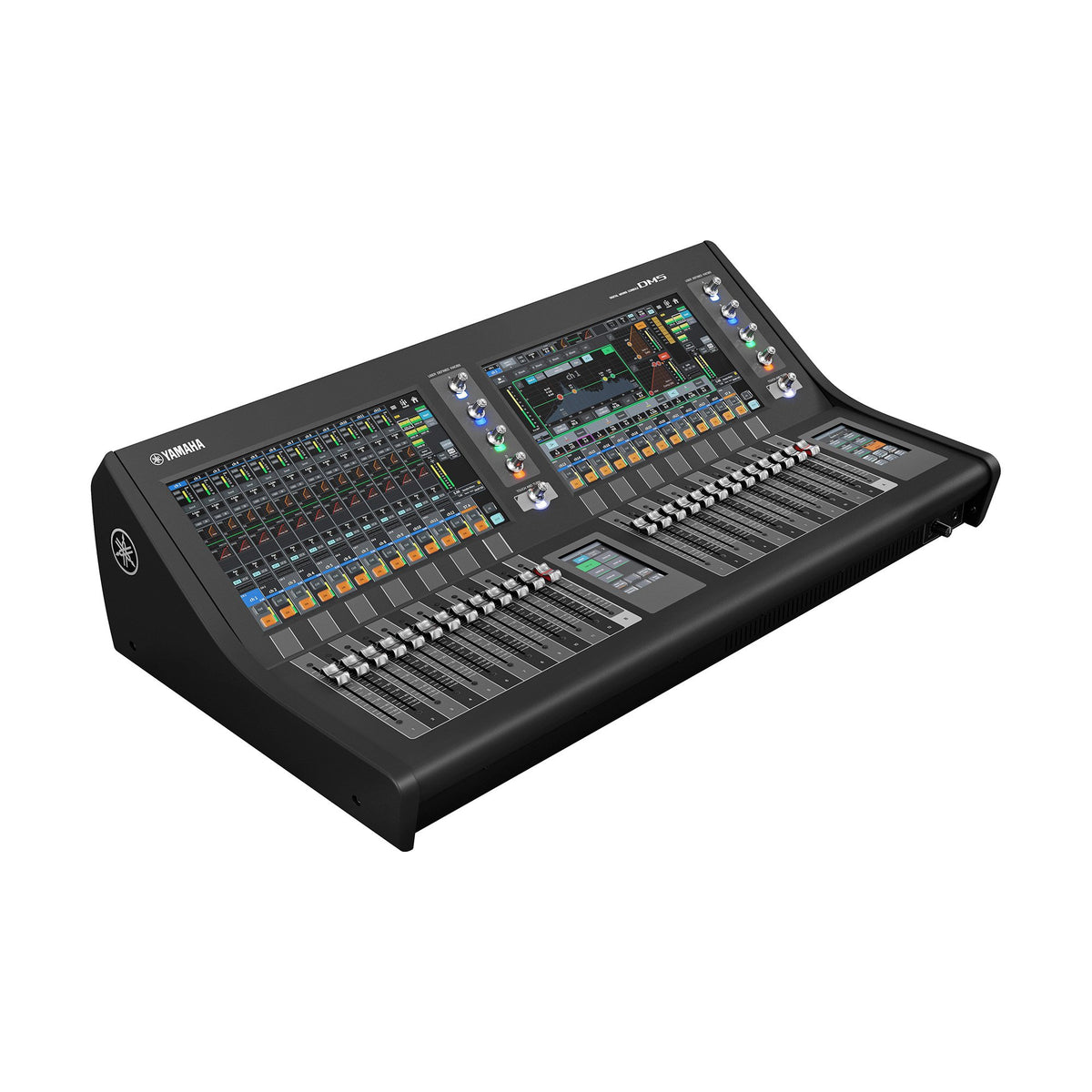


Yamaha Digital Mixing Console DM5
Yamaha Digital Mixing Console DM5
Forward Thinking
Capture the sound from the stage as-is and overlay the tones you need to bring the artist and audience together. The DM5 series delivers the mix you want every time by bringing speed, certainty, and creativity to the process of building your sound, offering a plethora of functions to support your work in a range of compact formats with polished, intuitive user interfaces. A carefully selected set of controls with freely customizable functions and parameters that elevate your workflow to the next level.
Backed by over three decades of experience in this field, Yamaha provides undeniable reliability and uncompromising audio quality. By integrating seamlessly with your current processes, the DM5 series sets a new standard for professionals who are ready to take their workflows to the next stage.
Features
- Input mixing channels: 60 mono
- Buses: 24 Mix + 12 Matrix + 2 Stereo
- Display: 13.3" multi-touch screen x 2, 4.3" multi-touch screen x 2
- Faders: 26 (12 + 1 + 12 +1)
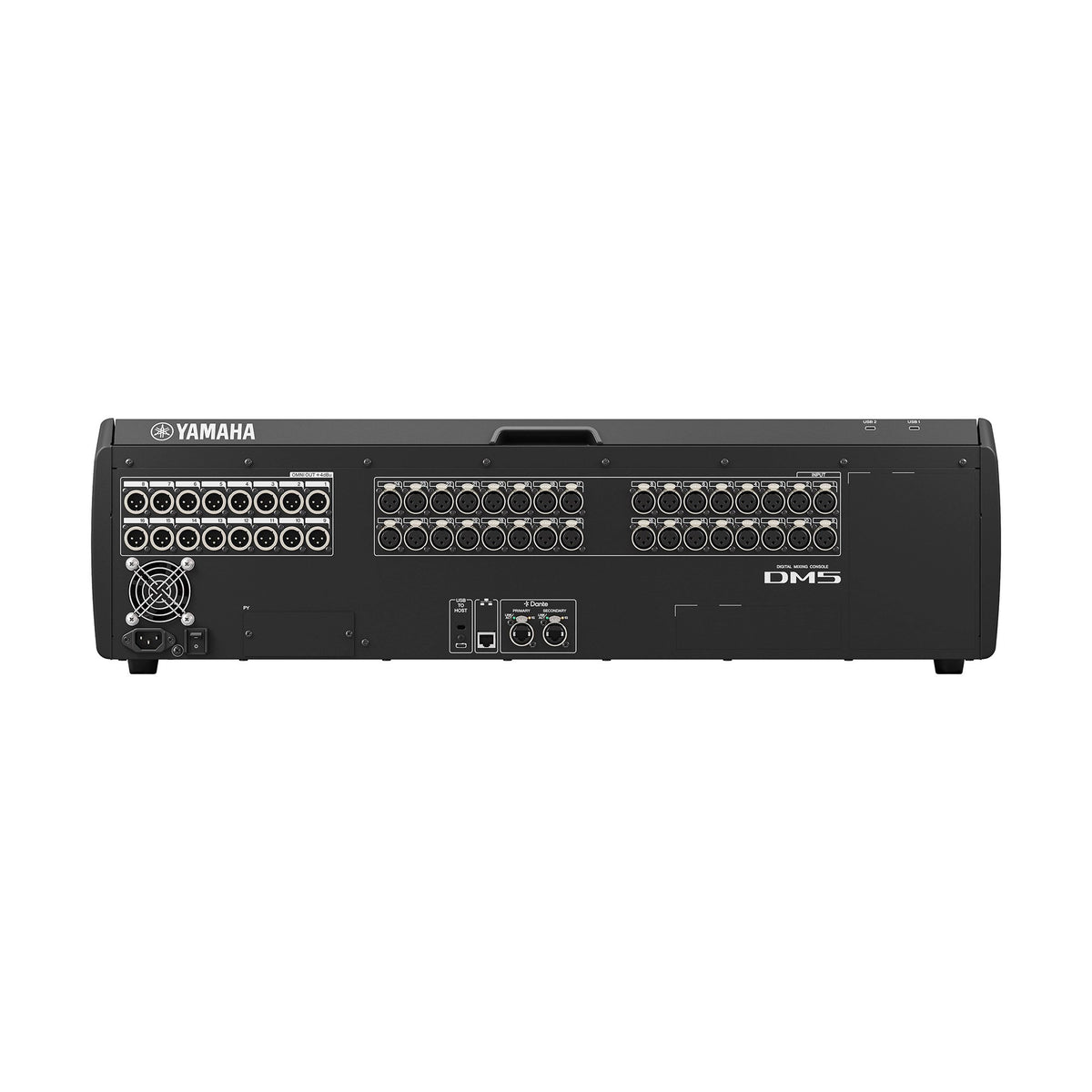
- Analog I/O: 32 inputs / 16 outputs
- Dante: 64 in / 64 out
- Slot: PY Slot x 1
- USB Audio Interface: 18 in / 18 out
- Power consumption: 130 W
- Dimensions (W x H x D): 826 mm x 235 mm x 441 mm (32.5” x 9.3” x 17.4”)
- Net Weight: 21.5 kg (47.4 lb)
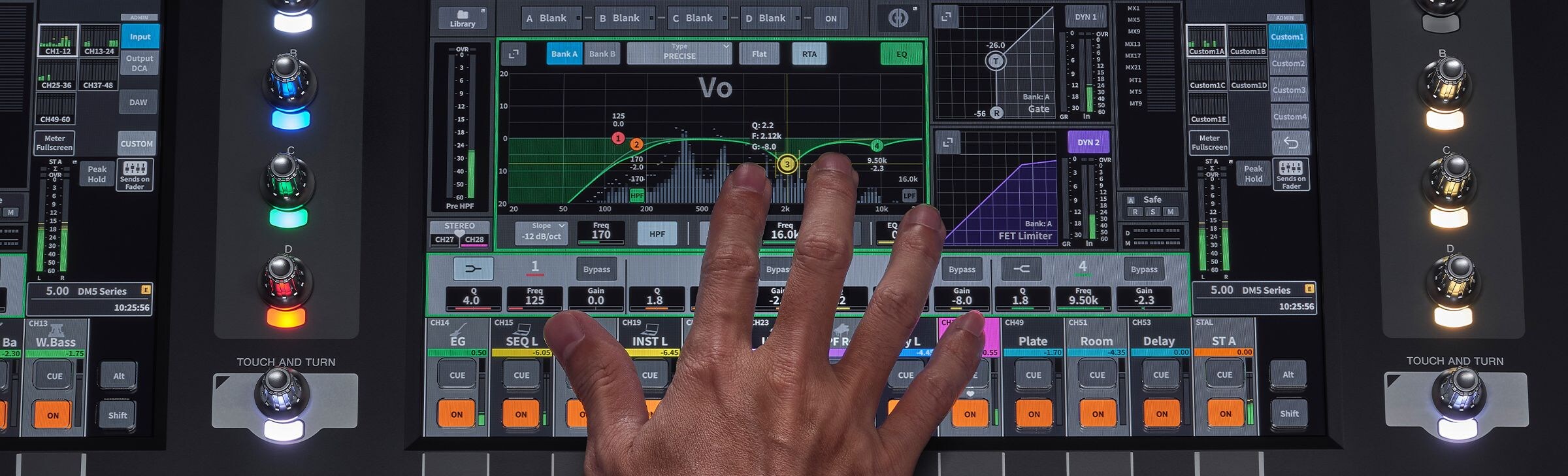
The DM5 series honors Yamaha’s legacy of transparent sound , capturing sound direct from the stage that you can use to build and layer a mix that’s all your own. With powerful channel strip processing, effects, and plugins running on the PY-DSP, the DM5 series gives you everything you need to give free rein to your creativity and build your mix with confidence.
WORKFLOW
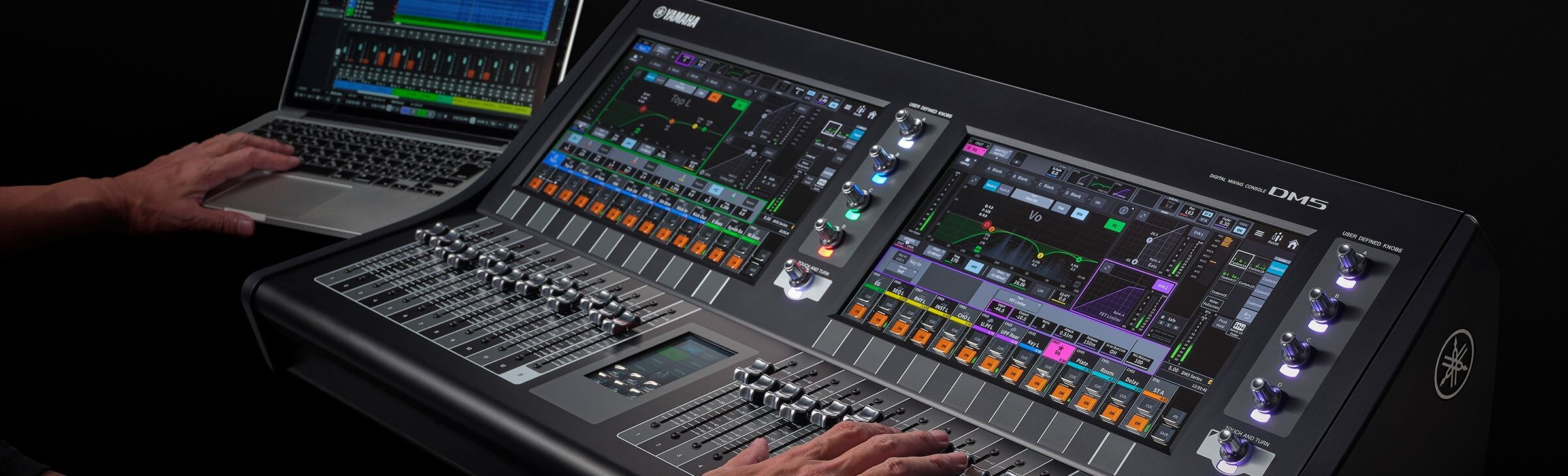
Everyone has a different workflow, and having your own is key to consistently achieving your sound. The DM5 series lets you tailor the operating styles and parameters for each operator, giving you everything you need to make your current workflow smoother and more intuitive.
CONTROL

In a digital mixer, control functions are essential for achieving better sound, faster. The DM5 series offers seamless integration with other connected devices for two-way control, as well as remote operation capabilities that enhance your workflow. Together, these capabilities help bring performances to life.
Features
SOUND - Everything you need to take your sound to the next stage -
The DM5 series honors Yamaha’s legacy of transparent sound , capturing sound direct from the stage that you can use to build and layer a mix that’s all your own. With powerful channel strip processing, effects, and plugins running on the PY-DSP, the DM5 series gives you everything you need to give free rein to your creativity and build your mix with confidence.
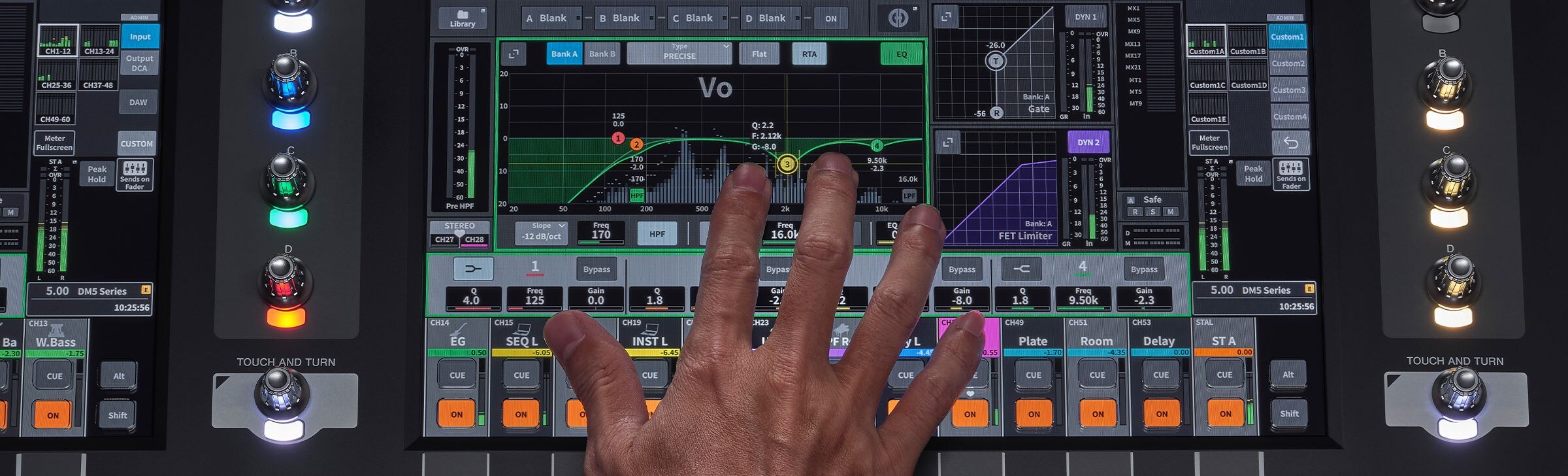
Exceptional sound shaping starts with the channel strip.
Extensive dynamics.
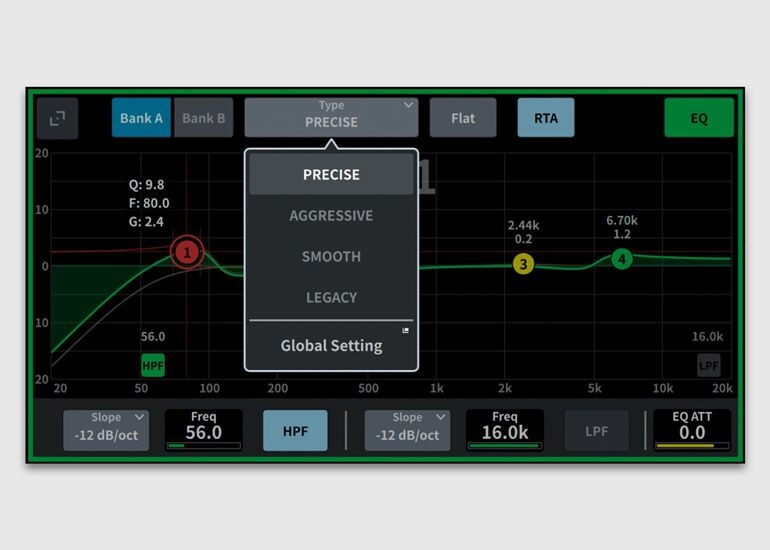
Select from four EQ types to suit your sound sources and the way you build your sound, and use the real-time analyzer (RTA) display to aid in quick adjustment.
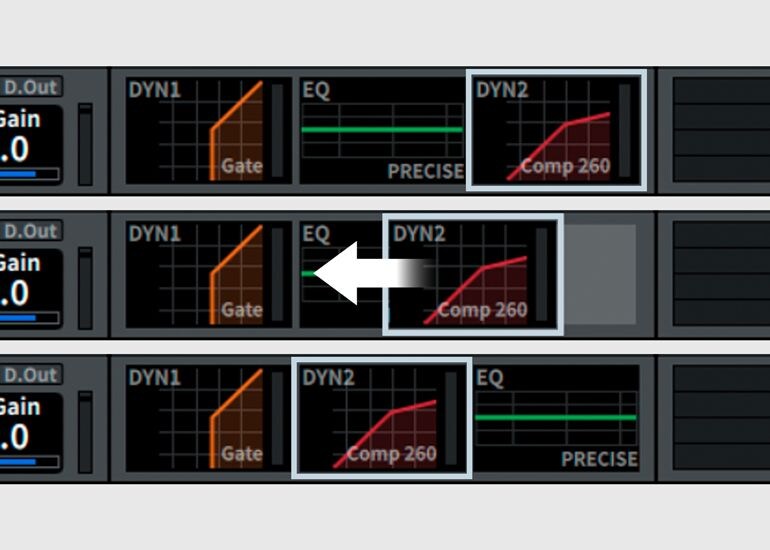
The flexible signal flow of the DM5 series puts you in control of your sound. Reorder processing—such as the EQ and Dyn2 stages—to shape both tone and dynamics with intent
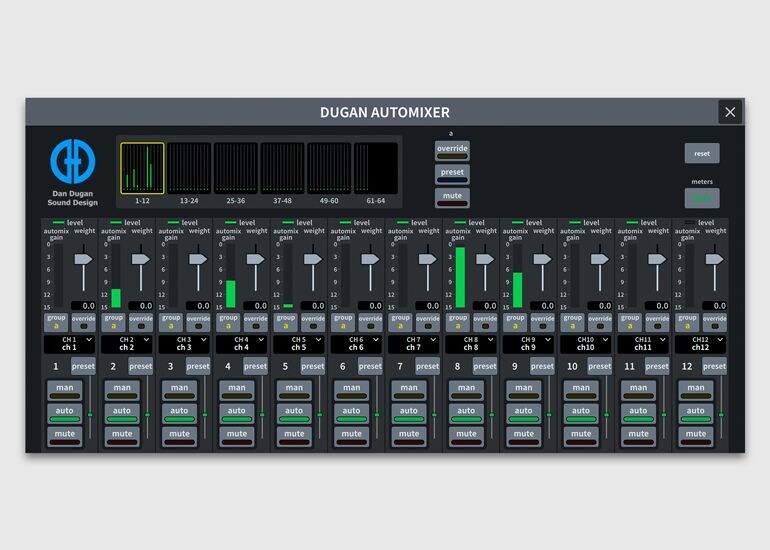
Dugan Automixer makes it easy to reinforce multiple mics while maintaining an overall level that avoids feedback thanks to the Dugan Speech System™ algorithm.
An extensive range of effects and plugins to shape your sound
The built-in multi-effects processor provides 43 high-quality effect types, delivering a powerful toolkit that expands your sound-shaping possibilities.
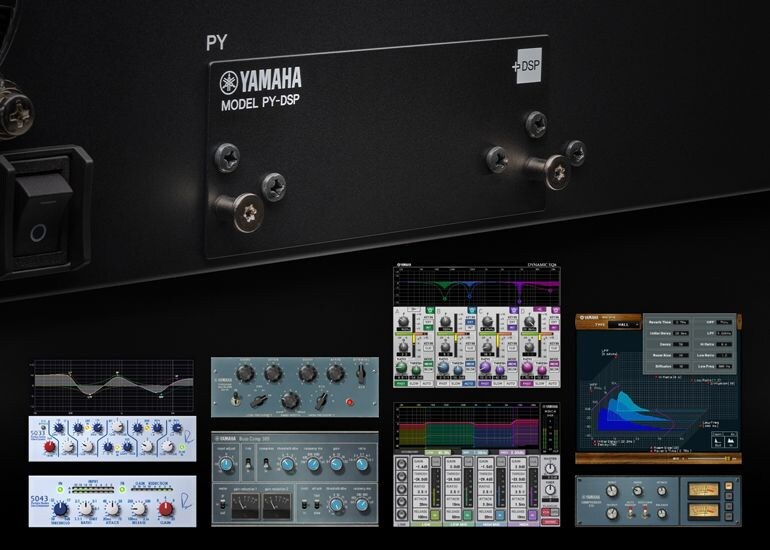
Installing a PY-DSP card in the PY slot enables the use of Premium Rack plug-ins on the DM5 series. The PY-DSP also adds 32 slots (16 × 2) of plug-in processing resources to the DM7 series for sound shaping without compromise.
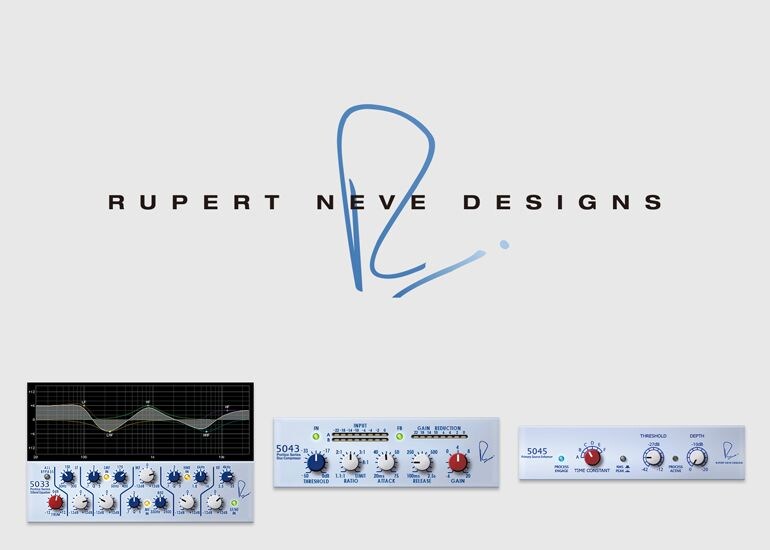
The Premium Rack features a wide range of plug-ins for diverse applications, including the Rupert Neve Designs Portico 5033 equalizer and the Portico 5043 compressor, developed jointly with Rupert Neve Designs, LLC—all designed to take your mixes to the next level.
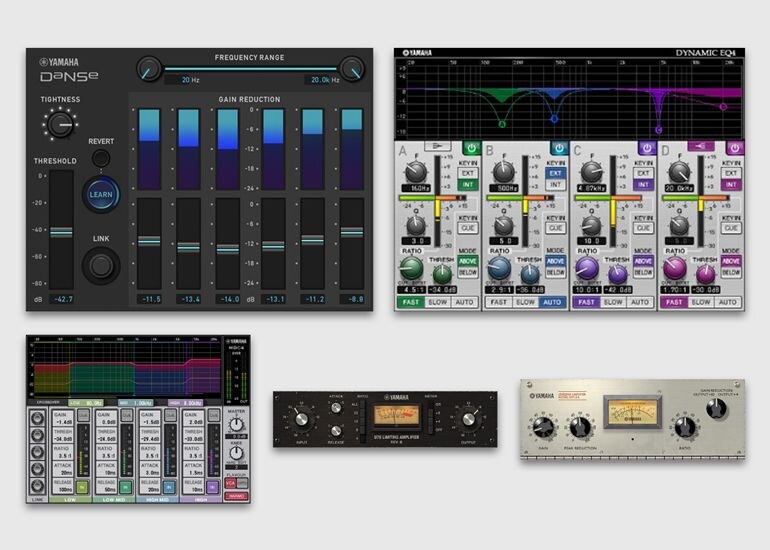
The Premium Rack also comes with numerous Yamaha plugins that are highly regarded by sound engineers, such as Dynamic EQ, multi-band MBC4, Vintage Compressor, and the Dynamic noise suppressor DaNSe.
A full range of I/O to meet your needs
WORKFLOW - Built to evolve with the way you work -
Everyone has a different workflow, and having your own is key to consistently achieving your sound. The DM5 series lets you tailor the operating styles and parameters for each operator, giving you everything you need to make your current workflow smoother and more intuitive.
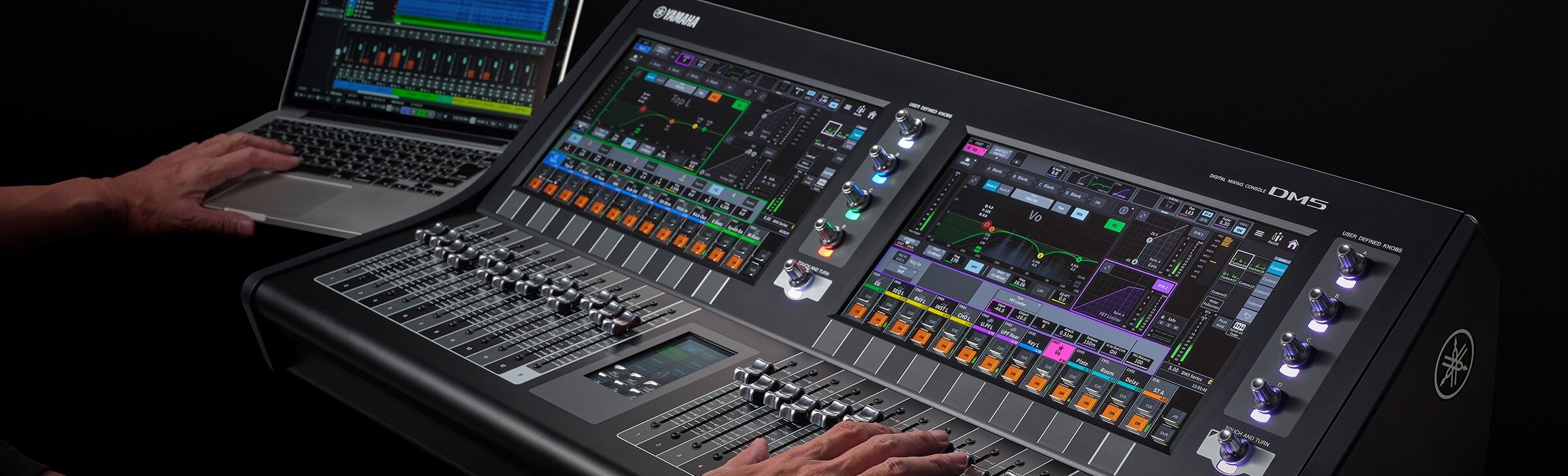
Customize the console to support efficient operations
Tailor Your System. Shape Your Workflow.
Configure DM5 series settings and add optional products to achieve usability and performance tailored to your operating style.
Compact, shallow design—easy to see, easy to reach
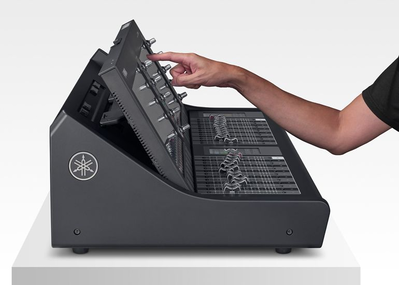
DM5 consoles are more than just compact. Designed with the operator in mind, the layout eliminates any unnecessary elements while preserving the space needed for efficient operation. A console depth similar to that of a laptop computer keeps the large 13-inch display within easy reach for intuitive operation. Light and compact, DM5 consoles are easy to transport and set up anywhere, making them ideal for a wide range of applications.
Selected Channel View and Overview—two ways to view your work
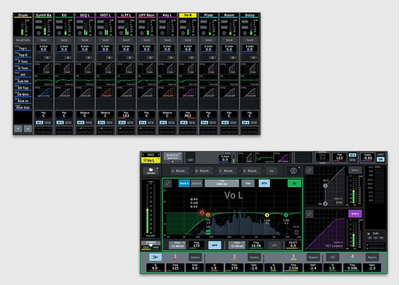
Yamaha mixers provide better operating environments for every stage of use. Choose either the Selected Channel View and Overview screens to suit the needs of individual operators and create a working environment that suits their needs.
When setting up and configuring your system, the Selected Channel View allows at-a-glance monitoring of signal flows for individual channels while you work, while Overview allows monitoring of settings during live performances or when working across multiple channels.
Work in your own language

Channel visibility is a critical factor when it comes to operation speed. DM series consoles support multilingual channel name displays, enabling artist and instrument names to be shown in the operator’s own language for more intuitive operation. (Use the Editor or the StageMix app to input channel names in other languages.)
Expand your system with Broadcast and Theatre packages
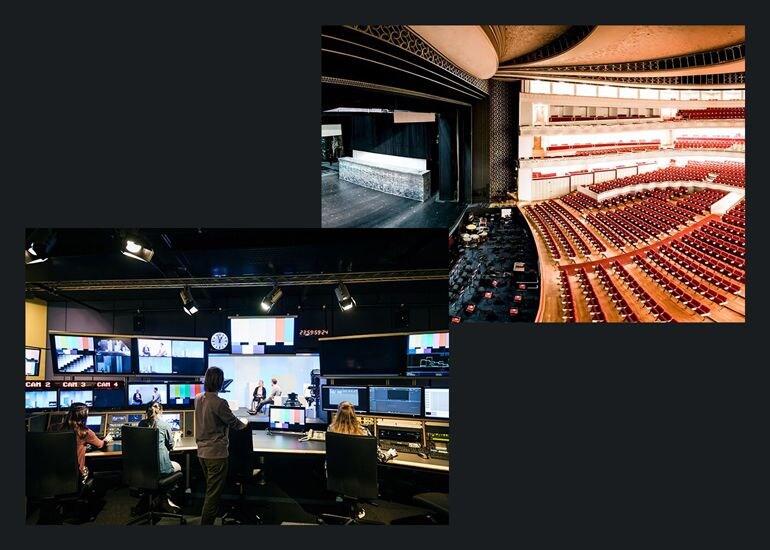
Adding Broadcast Package or Theatre Package to access functions essential to broadcast and theatrical applications.
The Broadcast Package adds seven essential broadcast functions, including Mix Minus, and Audio Follow Video, while the Theatre Package brings immersive control functions along with 4 Bank EQ/DYN, Actor Library, and other functions that are useful for musical and theater applications. A Loudness Meter will be added in the future updates.
Licenses are managed via the PV Portal app, which allows a single license to be activated and deactivated for use across multiple consoles. (Not available in some regions)
PY Cards—expanded connectivity and control
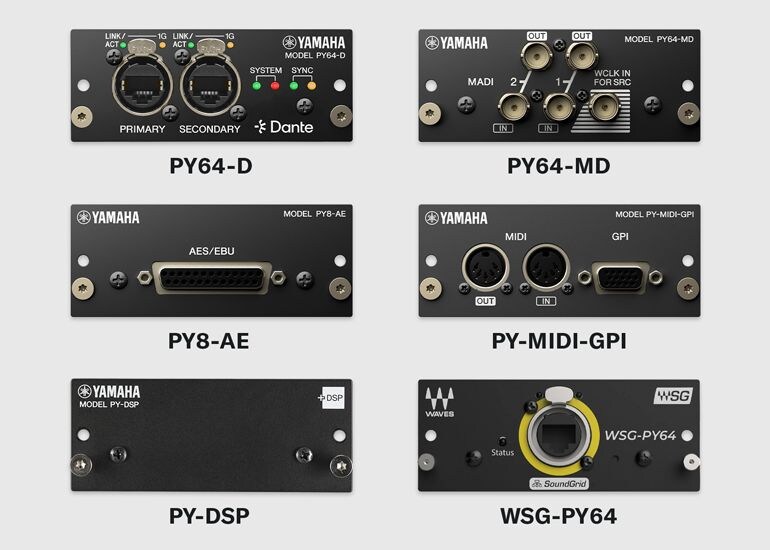
The PY slot offers up to 64 channels of additional I/O. Insert any one of a variety of cards to allow connection with a variety of audio formats and expansion of control functions. The PY64-D features a Dante-compatible sampling rate converter (SRC). The PY64-MD supports 64 channels of MADI I/O. The PY8-AE features an AES/EBU D-sub 25-pin connector for 8 channels of I/O. The PY-MIDI-GPI adds MIDI/GPI control via DIN 5-pin and D-sub 15-pin connectors. The WSG-PY64 from Waves Audio Ltd. connects to the Waves Soundgrid system, enabling the use of Waves plug-ins.
Recording options to suit any workflow and environment
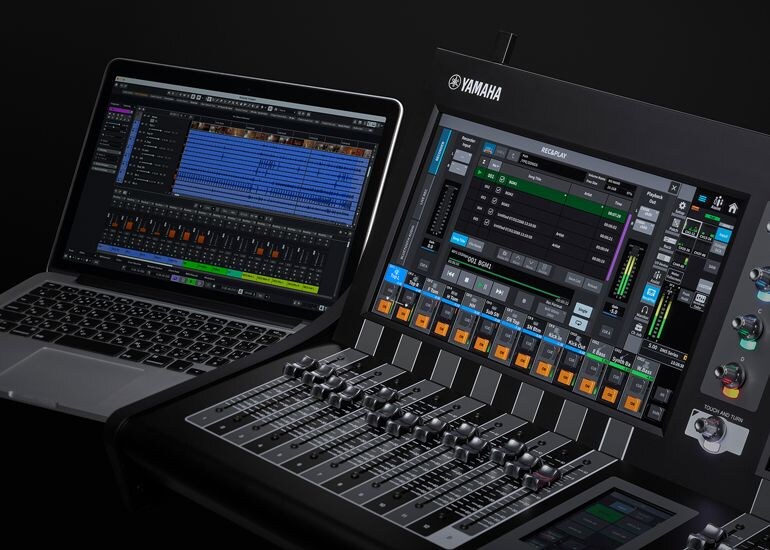
Easy-to-configure USB recording and playback functions allow two-track recording without the need for additional equipment, ideal for recording performances and playing background music. The DM5 also includes Nuendo Live software for reliable multitrack capture when recording live and supports multitrack audio recording with up to 18 channels of I/O via the USB connection on the rear panel or up to 64 channels using Dante. It also features a Virtual Sound Check function that allows you to adjust sound systems in a live-performance setting—even without the artist present.
CONTROL - Experience refined precision
In a digital mixer, control functions are essential for achieving better sound, faster. The DM5 series offers seamless integration with other connected devices for two-way control, as well as remote operation capabilities that enhance your workflow. Together, these capabilities help bring performances to life.

Customize controls your way
Freely assignable User Defined Knobs and a 4.3-inch display let you customize the interface to suit your preferences.
Total control of your audio system
The DM5 series offers control and monitoring of Yamaha I/Os and power amplifiers as well as third-party wireless receivers, interfaces, and personal monitoring systems, providing a seamless workflow across your entire audio system.
Prepare offline, control from anywhere.
The DM5 series supports the DM Editor application for Windows and Mac, enabling offline setup and editing for advance preparation as well as online backup management. Both the DM5 series and DM7 series work with this application, with mutually compatible console data files for smooth data exchange. StageMix and MonitorMix provide convenient remote control from anywhere in the venue, while ProVisionaire Control PLUS offers a versatile custom control platform that helps bring your ideal system operation to life.
DAW Remote—streamline music production

DAW Remote functions help streamline your audio production and recording workflow by synchronizing the console with a DAW for tactile control of level adjustments, transport functions, and more, using the DM5’s faders, buttons, and knobs. Access to DAW Remote Mode is easy—just press the fader bank DCA and select “DAW Remote.”
| DM5 | DM5 Compact | ||
|---|---|---|---|
| DM5 | DM5 Compact | ||
|---|---|---|---|
| Outline | |||
| Mixing Capacity | Input Channels | 60 mono | 48 mono |
| Mix Buses | 24 | 24 | |
| Matrices | 12 | 12 | |
| Stereo Buses | 2 | 2 | |
| Mono Buses | 1 (Stereo B can be changed) | 1 (Stereo B can be changed) | |
| Cue Buses | 1 | 1 | |
| General specifications | |||
| I/O Connectors | Analog Input | 32 | 16 |
| Analog Output | 16 | 16 | |
| Dante | Primary / Secondary | Primary / Secondary | |
| Expansion Slot (PY Slot) | 1 | 1 | |
| MIDI | No (MIDI protocol supported) | No (MIDI protocol supported) | |
| USB TO DEVICE | 2 (USB Type-C for File Save/Load, and 2 Track Rec/Play) | 2 (USB Type-C for File Save/Load, and 2 Track Rec/Play) | |
| USB TO HOST | 1 (USB Type-C, USB2.0) | 1 (USB Type-C, USB2.0) | |
| Ethernet | Yes | Yes | |
| Meter Bridge | On screen | On screen | |
| Phones | 1 | 1 | |
| AC | 1 (V-Lock Type) | 1 (V-Lock Type) | |
| Scene Memory | Number of Scenes | 500 | 500 |
| Recall Safe | Yes | Yes | |
| Focus Recall | Yes | Yes | |
| Fade Time | Yes | Yes | |
| Selective Load / Save | Yes | Yes | |
| Global Paste | Yes | Yes | |
| Input Channel Functions | Input A/B | Yes | Yes |
| Gain Compensation | Yes | Yes | |
| Digital Gain | Yes (-96 dB to +24 dB) | Yes (-96 dB to +24 dB) | |
| Attenuator | Yes (-96 dB to +24 dB) | Yes (-96 dB to +24 dB) | |
| HPF | 20 Hz to 2,000 Hz, -6/-12/-18/-24 dB/oct Selectable | 20 Hz to 2,000 Hz, -6/-12/-18/-24 dB/oct Selectable | |
| PEQ | 4 Band Full PEQ (4 algorithms, RTA overlay supported) | 4 Band Full PEQ (4 algorithms, RTA overlay supported) | |
| Dynamics 1 | Legacy Comp / Comp260 / Gate / De-Esser / Expander / Ducking / FET Limiter / Diode Bridge Comp | Legacy Comp / Comp260 / Gate / De-Esser / Expander / Ducking / FET Limiter / Diode Bridge Comp | |
| Dynamics 2 | Legacy Comp / Comp260 / Gate / De-Esser / Expander / Ducking / FET Limiter / Diode Bridge Comp | Legacy Comp / Comp260 / Gate / De-Esser / Expander / Ducking / FET Limiter / Diode Bridge Comp | |
| Input Delay | Yes (0 ms to 1,000 ms) | Yes (0 ms to 1,000 ms) | |
| Pan | Center Nominal / LR Nominal | Center Nominal / LR Nominal | |
| DCA Group | 12 (Output DCA supported) | 12 (Output DCA supported) | |
| DCA Rollout | Yes | Yes | |
| MUTE Group | 12 | 12 | |
| Number of Inserts | 4 slots on 1 insert point | 4 slots on 1 insert point | |
| Dan Dugan Automixer | Yes (12ch, expandable up to 64 channels with Dugan Automixer License) | Yes (12ch, expandable up to 64 channels with Dugan Automixer License) | |
| Direct Out | Yes | Yes | |
| Output Channel Functions | PEQ | 8 Band Full PEQ | 8 Band Full PEQ |
| GEQ | Virtual Rack (EQ Rack) | Virtual Rack (EQ Rack) | |
| Dynamics 1 | Legacy Comp / Comp260 / Gate / De-Esser / Expander / Ducking / FET Limiter / Diode Bridge Comp | Legacy Comp / Comp260 / Gate / De-Esser / Expander / Ducking / FET Limiter / Diode Bridge Comp | |
| Output Channel Delay | Yes (0 ms to 1,000 ms) | Yes (0 ms to 1,000 ms) | |
| MUTE Group | 12 | 12 | |
| Number of Inserts | 4 slots on 1 insert point | 4 slots on 1 insert point | |
| Premium Rack | Number of DSP Resources | 0 (Up to 32 with PY-DSP) | 0 (Up to 32 with PY-DSP) |
| Mountable Plug-ins | RND Portico5033 / RND Portico5043 / Portico 5045 / U76 / Opt-2A / Comp276/ Buss Comp 369 / MBC4 / DaNSe / EQ-1A / Equalizer601 / Dynamic EQ / Dynamic EQ4 / REV-X / OpenDeck / Analog Delay / Max100 / Vintage Phaser /Dual Phaser / HQ. Pitch | RND Portico5033 / RND Portico5043 / Portico 5045 / U76 / Opt-2A / Comp276/ Buss Comp 369 / MBC4 / DaNSe / EQ-1A / Equalizer601 / Dynamic EQ / Dynamic EQ4 / REV-X / OpenDeck / Analog Delay / Max100 / Vintage Phaser /Dual Phaser / HQ. Pitch | |
| Effect Rack | Number of DSP Resources | 16 | 16 |
| Number of Effect Types | 43 | 43 | |
| EQ Rack | Number of DSP Resources | 24 | 24 |
| Mountable Devices | 31BandGEQ / Flex15GEQ / 8Band PEQ (RTA overlay supported) | 31BandGEQ / Flex15GEQ / 8Band PEQ (RTA overlay supported) | |
| Dante | Number of I/O Channels | 64 in / 64 out | 64 in / 64 out |
| Number of I/O devices that can be discovered from the console | 127 *1 | 127 *1 | |
| Number of I/O devices that can be mounted | 24 | 24 | |
| Number of I/O devices with HA remote control | 24 | 24 | |
| Dante Patch from Console | Yes | Yes | |
| USB to Host | Number of Audio I/O Channels | 18 in / 18 out | 18 in / 18 out |
| USB MIDI | Yes | Yes | |
| Monitor | Solo Mode | Yes | Yes |
| Oscillator | Sine Wave 1ch / Sine Wave 2ch / Pink Noise / Burst Noise | Sine Wave 1ch / Sine Wave 2ch / Pink Noise / Burst Noise | |
| Other Functions | Port to Port | Yes | Yes |
| GPI | Yes (with PY-MIDI-GPI) | Yes (with PY-MIDI-GPI) | |
| MIDI | Yes (USB MIDI) | Yes (USB MIDI) | |
| OSC Server | Yes | Yes | |
| DAW Remote | Yes | Yes | |
| Nuendo Live: Control Integration | Yes | Yes | |
| Virtual Soundcheck | Yes | Yes | |
| Wireless Mic Monitoring | Yes | Yes | |
| RTA | Yes | Yes | |
| Delay Compensation | Yes | Yes | |
| Output Port Delay | Yes (Up to 20 ports) | Yes (Up to 20 ports) | |
| Sub In | Yes | Yes | |
| User Levels | Yes | Yes | |
| Channel Link | Yes | Yes | |
| Temporary Channel Link | Yes | Yes | |
| Multi Language Channel Names | Yes | Yes | |
| Mix/Matrix to Input | Yes | Yes | |
| Assist | Yes (HA / Naming / Comp / Fader) | Yes (HA / Naming / Comp / Fader) | |
| User Interface | Displays | 13.3” multi-touch x 2, 4.3” multi-touch x 2 | 13.3” multi-touch x 1, 4.3” multi-touch x 1 |
| Faders | 26 (12 + 1 + 12 +1) | 13 (12+1) | |
| Channel Name / Color Displays | No (on-screen) | No (on-screen) | |
| Custom Fader Banks | Yes | Yes | |
| Shift Keys | Yes (on-screen) | Yes (on-screen) | |
| User Defined Keys | Glass Keys: 12 (6 + 6), Screen : 12 (6 keys x 4 bank) | Glass Keys: 6, Screen : 6 (6 keys x 4 bank) | |
| User Defined Knobs | Yes (by 4 encoders next to the screen) | Yes (by 4 encoders next to the screen) | |
| Touch and Turn Knobs | Yes | Yes | |
| Rack Mountable | No | Yes | |
| Software | Editor | DM Editor (Win/Mac) | DM Editor (Win/Mac) |
| StageMix | DM StageMix | DM StageMix | |
| MonitorMix | Yes | Yes | |
| Console File Converter | Yes | Yes | |
| ProVisionaire Control PLUS/Kiosk | Yes | Yes | |
| Dimensions | W | 826 mm (32.5” ) | 446 mm (17.6” ) |
| H | 235 mm (9.3” ) *including the rubber feet | 235 mm (9.3”) *including the rubber feet | |
| D | 441 mm (17.4” ) | 441 mm (17.4”) | |
| Net weight | 21.5 kg (47.4 lb) | 13.3 kg (29.3 lb) | |
| Included Accessories | Read This First, AC power cord, Dust cover, Cable hook, Nuendo Live and VST Rack Elements Download Information | Read This First, AC power cord, Dust cover, Cable hook, Nuendo Live and VST Rack Elements Download Information | |